

• CONTACT
  • MARKETCAP
  • BLOG
Coin Mela Coin Mela
  • Home
  • News
    • All News
    • Bitcoin
    • Ethereum
    • XRP
    • Altcoins
    • NFT
    • Blockchain
    • Web3
    • DeFi
    • Finance
    • Stocks
    • Company
  • Learn
  • Market
  • Advertise
Reading: How to Reset Your Crypto.com Two-Factor Authentication (2FA) Safely and Quickly
Share
  • bitcoinBitcoin(BTC)$87,860.00
  • ethereumEthereum(ETH)$2,926.71
  • tetherTether(USDT)$1.00
  • binancecoinBNB(BNB)$883.45
  • rippleXRP(XRP)$1.89
  • usd-coinUSDC(USDC)$1.00
  • solanaSolana(SOL)$123.86
  • tronTRON(TRX)$0.293019
  • staked-etherLido Staked Ether(STETH)$2,925.42
  • dogecoinDogecoin(DOGE)$0.122166
CoinMelaCoinMela
Font ResizerAa
  • Home
  • News
  • Learn
  • Market
  • Advertise
Search
  • Home
  • News
    • All News
    • Bitcoin
    • Ethereum
    • XRP
    • Altcoins
    • NFT
    • Blockchain
    • Web3
    • DeFi
    • Finance
    • Stocks
    • Company
  • Learn
  • Market
  • Advertise
Have an existing account? Sign In
Follow US
© Coin Mela Network. All Rights Reserved.
Company

How to Reset Your Crypto.com Two-Factor Authentication (2FA) Safely and Quickly

News Desk
Last updated: September 24, 2025 11:51 pm
News Desk
Published: September 24, 2025
Share
68d3c095a674ab001d51080c

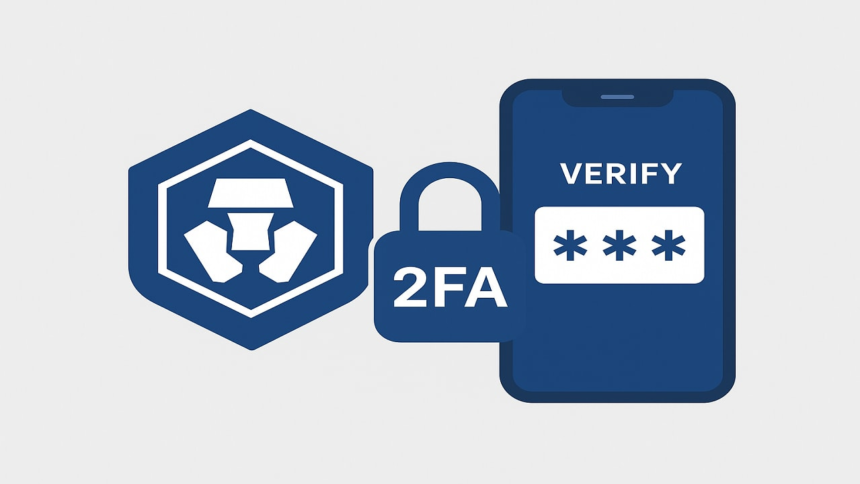
The challenge of accessing Two-Factor Authentication (2FA) can be particularly stressful for cryptocurrency users, especially when valuable assets are at stake. Various situations can lead to the necessity of resetting 2FA, such as upgrading devices, accidental deletion of the authenticator app, or loss of access to 2FA codes. However, with a clear process in place, users can manage to reset their 2FA for their Crypto.com accounts safely and efficiently.

A Crypto.com 2FA reset may be required under several circumstances, including:

  • Loss or switch of your mobile device
  • Accidental deletion of the authenticator application
  • The application no longer generating valid codes
  • Restoration of your phone without backing up your authenticator settings

Before initiating a reset, it’s advisable to check if the 2FA secret key or QR code from the initial setup is saved. If these backups are available, users can often restore access without needing to reset their 2FA.

For those who do not have the necessary backup, the following steps outline how to request a 2FA reset through Crypto.com:

Step 1: Access the Crypto.com Help Center
Begin by navigating to the official Crypto.com Help Center or using the in-app Live Chat feature.

Step 2: Submit a 2FA Reset Request
Within the chat options, select “2FA Issues” or “Account Access.” Clearly state your need for a 2FA reset and provide your associated email address and account details as required.

Step 3: Complete Identity Verification
Crypto.com will require identity verification. This generally includes:

  • A selfie holding your ID
  • The ID document itself (acceptable forms include a passport, driver’s license, or national ID)
  • A handwritten note with the current date and the phrase “Crypto.com 2FA Reset Request” alongside your ID

It is crucial that all submitted information is clear and matches the details on your account.

Step 4: Await Review
After submission, the request will go through a review process, which could take anywhere from 24 to 72 hours, depending on the volume of requests and the completeness of the documentation provided.

Once the 2FA reset request is successful, the 2FA feature will be deactivated temporarily. Upon the next login, users will have the chance to set up a new 2FA. It is recommended to use reliable authenticator applications like Google Authenticator or Authy for this new setup. A valuable tip is to securely back up the QR code or secret key during this process, which can prevent future headaches related to 2FA.

To avoid the need for future resets, users are encouraged to:

  • Back Up the 2FA Key: Keep a secure copy of the setup code when first configuring 2FA.
  • Utilize Software with Multi-Device Support: Choose authenticator applications that allow syncing across devices, provided they have adequate security measures.
  • Enable Cloud Backups: If available, utilize the cloud backup features offered by some authenticator applications for encrypted storage of 2FA details.

In conclusion, losing access to authentication codes does not equate to losing access to a Crypto.com account. The 2FA reset process is structured to empower users to regain access while maintaining security. By following these outlined steps and ensuring proper setup and backup of 2FA in the future, users can avoid similar challenges again.


Coinbase Institutional Launches Mag7 + Crypto Equity Index Futures for Diversified Trading
Proposed U.S. Clarity Act Provision Could Exempt XRP from Securities Law
Trump Media and Crypto.com Move Forward with Cronos Treasury Firm Amidst CRO Price Decline
Coinbase Surpasses Q3 Revenue Expectations; BlackRock’s Bitcoin ETF Sees Major Outflows
Hedera Joins Digital Chamber’s State Network to Enhance US Digital Asset Policy
Share This Article
Facebook Whatsapp Whatsapp
ByNews Desk
Follow:
CoinMela News Desk brings you the latest updates, insights, and in-depth coverage from the world of cryptocurrencies, blockchain, and digital finance.
Previous Article bitcoin 1.3m price prediction bitcoin hyper could soar Bitwise Predicts Bitcoin Could Reach $1.3M by 2035 Amid Rising Institutional Demand
Next Article ofal rect new OFA Partners with Blockchain App Factory to Launch Innovative Real Estate Equity and Mortgage-backed RWA Platform
Leave a Comment

Leave a Reply Cancel reply

Your email address will not be published. Required fields are marked *

Popular News
urlhttps3A2F2Fg.foolcdn.com2Feditorial2Fimages2F8529172Fstocks falling 2022.jpgw1200opr
Three Stocks to Hold onto During a Market Crash
Citrea Launches Mainnet Bringing Lending Trading and USD Settlement to Bitcoin
Citrea Launches Mainnet and ctUSD Stablecoin to Enhance Bitcoin’s Financial Infrastructure
108250212 1767906027935 gettyimages 2249102881 BOEING 737 MAX
Boeing Reports Strong Q4 Earnings as Turnaround Gains Momentum
- Advertisement -
Ad image

Follow Us on Socials

We use social media to react to breaking news, update supporters and share information

Twitter Youtube Telegram Linkedin
Coin Mela Coin Mela
CoinMela is your one-stop destination for everything Crypto, Web3, and DeFi news.
  • About Us
  • Contact Us
  • Corrections
  • Terms and Conditions
  • Disclaimer
  • Privacy Policy
  • Advertise with Us
  • Quick Links
  • News
  • Finance
  • Company
  • Stocks
  • Bitcoin
  • XRP
  • Ethereum
  • Altcoins
  • Blockchain
  • DeFi
© Coin Mela Network. All Rights Reserved.
Welcome Back!

Sign in to your account

Username or Email Address
Password

Lost your password?